Skip to content
Top 4 Picks
Four picks. One of them is yours.

Topaz Labs review

The upscaler Adobe just bought, sold as three apps where the bundle is the obvious buy.

BRecommended with a reservation

The verdict

The best results in its field, on a subscription whose monthly price and revenue test both need reading first.

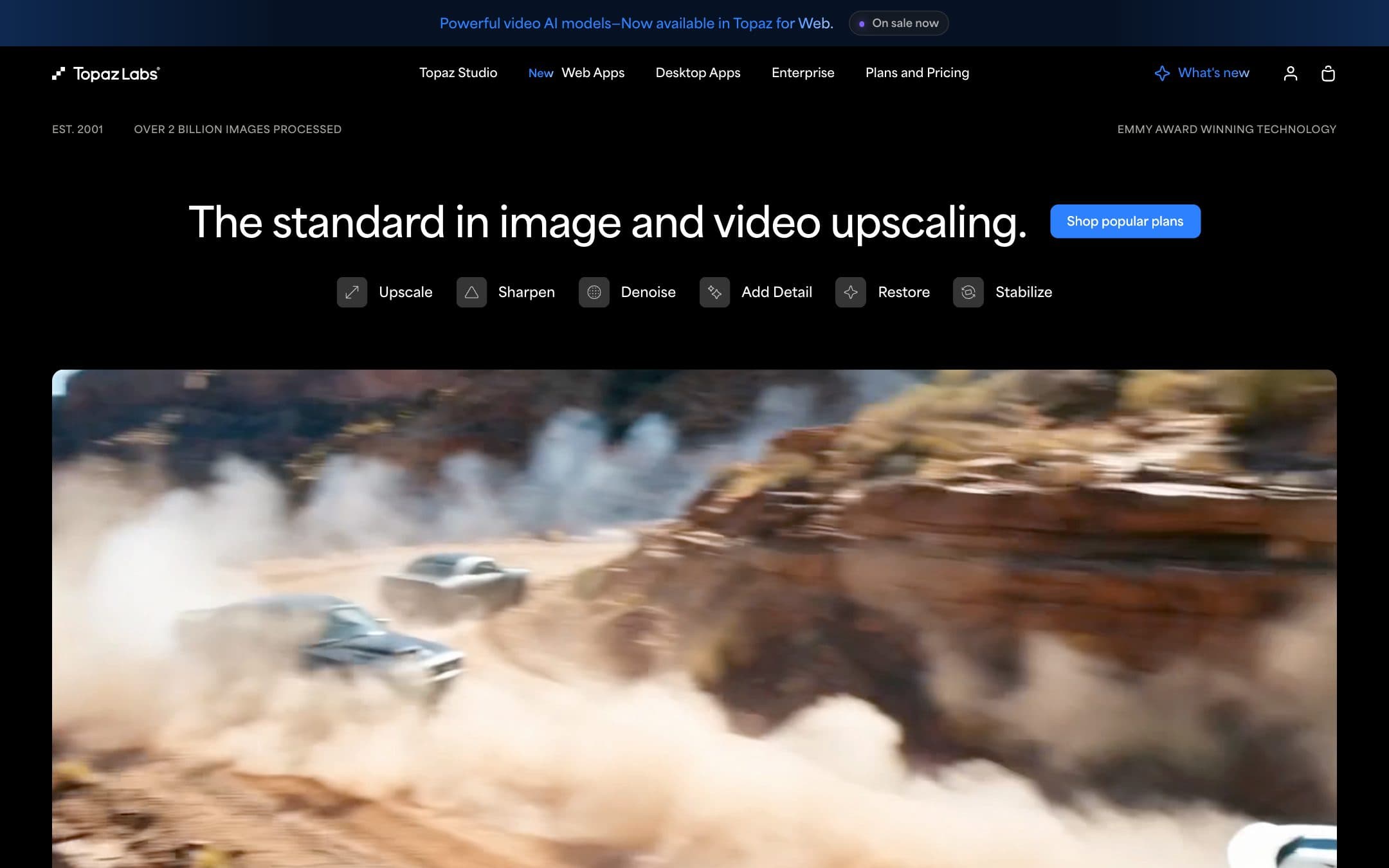
Topaz Labs homepage with the headline "The standard in image and video upscaling."
The Topaz Labs homepage as it looked on 13 October 2026.

How the 7.5 is built

Score breakdown for topaz-labs, criteria set Software and apps
CriterionWeightScore
Capability

Three dedicated apps covering upscaling, denoise, sharpening, face recovery and video restoration, with local rendering on every plan and cloud models on top. Adobe chose to buy it rather than build it, which is its own verdict on the models. We compared documented features and did not run the apps.

30%9.0
Usability

Each app is focused, and the plugins put it inside the editor you already use. Choosing between Photo and Gigapixel is not obvious from the pricing page, and the line-up of desktop, web, Astra and Bloom plans is hard to read.

20%7.0
Value

The annual Studio bundle is fair for anyone using two apps. The monthly prices are not: $69 a month for Studio is more over a year than the Pro tier, and there is no trial to test before paying.

20%6.5
Integrations

Plugins for Lightroom Classic and Photoshop on both photo apps, plus Capture One, Apple Photos and Affinity for Topaz Photo. Gigapixel is the narrower of the two here.

10%8.0
Support

Documentation exists for every app and staff answer in the community forum. Several docs pages are stale, still naming the pre-2025 apps or carrying a pricing column that does not add up.

10%7.0
Trust

The commercial threshold and the seat rule are published plainly. Against that: the move to subscription only, a privacy policy last updated in 2024 that says nothing about uploaded files or model training, and an owner change in September 2026 with no word on pricing.

10%6.0
Weighted total100%7.5

Pros and cons

What works

  • Studio includes all three desktop apps for $51 a year more than Photo and Gigapixel bought separately
  • Rendering runs locally without limits, so the cloud credits are an extra rather than a meter
  • Topaz Photo plugs into Lightroom Classic, Photoshop, Capture One and Apple Photos
  • The commercial-use rule is published as a plain revenue threshold rather than left vague

What does not

  • Studio paid monthly costs $828 a year, more than a year of Studio Pro
  • Individual plans stop covering commercial use once the business earns $1M a year
  • No trial for the current apps and a refund window of two days
  • One seat means one computer at a time, and extra seats exist only on Pro

What Topaz Labs costs

From $29 per month · 2-day money back

Topaz Labs pricing tiers
PlanMonthlyAnnual, per monthWhat you get
Topaz Studio1 seat, one computer at a time$69$33.25$399 for a year upfront, $45 a month on a twelve-month commitment, or $69 month to month · Photo, Gigapixel, Video, plus the web and mobile apps · 300 cloud video credits a month, which do not roll over
Topaz Studio Pro1 seat plus up to 4 moreNot published$66.58$799 for a year paid upfront · Full commercial use, required above $1M annual revenue · 600 cloud video credits a month and pro-only models
Topaz Photo1 seat, one computer at a time$39$199 a year or $39 a month · Denoise, sharpen and upscale models in one app · Plugin for Lightroom Classic, Photoshop, Capture One and Apple Photos
Topaz Gigapixel1 seat, one computer at a time$29$149 a year or $29 a month · Upscaling models only · Plugin for Lightroom Classic and Photoshop
Topaz Video1 seat, one computer at a time$59$299 a year or $59 a month · Upscaling, frame interpolation and restoration for video · 25 cloud video credits a month

Topaz sells three desktop apps on their own and as one bundle, and the bundle is the cheaper route for almost everyone who wants more than one app. Topaz Studio costs $399 for a year paid upfront. Photo ($199) and Gigapixel ($149) bought separately come to $348, so Studio adds Video for $51. Paid month to month, Studio is $69, which is $828 over twelve months and more than Studio Pro at $799. In between sits $45 a month on a twelve-month commitment, $540 over the term and $141 more than paying the year upfront. Pro versions of single apps cost $499 (Gigapixel), $599 (Photo) and $699 (Video) a year. Individual plans cover commercial use only for people and organisations under $1M a year in revenue. Annual plans cannot be cancelled or refunded during the term without a fee, and refunds otherwise end two days after purchase.

Key specs

Topaz Labs key specifications
PlatformsmacOS, Windows, Web, iOS
Commercial use on free planNo free plan
Cheapest qualifying planAny Individual plan if revenue is under $1M a year; Pro above that
Rights in AI outputNot stated in the terms we read
AI credits300 cloud video credits a month on Studio, no rollover, $0.10 per extra credit
What happens when you stop payingAnnual plans cannot be cancelled mid-term without a fee; refund only within 2 days
Desktop appYes, Photo, Gigapixel and Video

Who it is for

Best for

  • Photographers who upscale or restore images every week
  • Editors cleaning up or upscaling old and low-resolution video

Not for

  • Anyone who needs a handful of upscales a year, which Photoshop already does
  • Businesses over $1M revenue that budgeted for the Individual price

In more detail

Buy Studio or buy one app: the sum nobody does

Most people arrive at Topaz wanting one app, usually Gigapixel for upscaling or Photo for noise. Most of them should buy all three.

The arithmetic is short. Topaz Photo costs $199 for a year and Topaz Gigapixel $149, which together come to $348. Topaz Studio, which contains both plus Topaz Video, costs $399. That is $51 for a video app sold on its own at $299.

So the decision is narrower than the pricing page makes it look. If you need exactly one photo app and never touch video, buy that app. If you want two of anything, buy Studio.

All four annual prices are on the Topaz pricing page, behind the annual toggle. The page still does not add them up for you, and none of the reviews we read before writing this one did either.

Topaz scores 7.5 under how we rate. The models carry it. The terms hold it back.

The monthly price is the most expensive way to own it

Studio paid month to month is $69 a month. Twelve of those is $828.

Studio Pro, the plan with full commercial rights, extra seats and the pro-only models, costs $799 for a year. The monthly Individual plan costs $29 more than the top plan and buys less.

Between the two sits a third price: $45 a month, billed every month for twelve months. That is $540 for the same year you could buy for $399 upfront, so the instalments cost $141. It is the right choice only if $399 at once is the problem.

Month to month makes sense for one job: a single restoration project you can finish in four weeks. For anything longer, pay the year upfront. And note that the year really is a year. Topaz states that annual plans cannot be cancelled or refunded during the term without an additional fee, and does not publish what the fee is.

"Limited commercial use" is a revenue test

Every Individual plan on the pricing page carries the line "Limited commercial use". It reads like a licence restriction on what you may do with the output. It is a test of how big you are.

The documentation is specific: Individual subscriptions "cover commercial use for anyone or entity making less than $1 million USD in revenue a year." Pro is "required for anyone or entity making $1 million USD or more in revenue a year."

A wedding photographer is covered. A retoucher working inside an agency that bills $1.2 million a year is not, and needs Studio Pro at $799 rather than Studio at $399. None of the reviews we read ahead of this one mentioned the threshold.

One seat, no trial, two days to change your mind

A seat, in Topaz terms, is "the number of computers you can use simultaneously." You can install the apps on a laptop and a desktop and run them on one at a time. A second person needs a second subscription, or Pro, which adds up to four extra seats under one account.

There is no trial. Topaz staff wrote in April 2026 that "we do not offer a trial for the Topaz Studio Desktop Collection" and pointed buyers to the refund window instead. That window is two days. The trial page in the Topaz docs still describes free trials, for apps called Photo AI and Video AI, which is what they were named before the subscription switch. It reads current and is not.

Two days is enough to run your own worst files through it. Have them ready before you pay.

What Adobe buying Topaz changes, and what it does not say

Adobe completed its acquisition of Topaz Labs on 23 September 2026. Its announcement says Topaz "will continue as a standalone brand" and that the apps "will continue to be available as standalone products." Topaz models already run inside Photoshop and Firefly.

It says nothing about prices. That is not a reason to avoid Topaz. It is a reason to prefer the annual plan you can see over a promise about one you cannot, and to expect this page to change.

Owners of the old perpetual licences, sold until 3 October 2025, got no specific word in the announcement either. Adobe's own licensing approach is visible in our Adobe Stock review, where unused credits are forfeited on cancellation.

What happens to the files you send to the cloud

Every plan renders locally without a limit. Studio adds 300 cloud video credits a month, and those "expire at the end of each month and do not roll over."

What happens to a file once it is uploaded is the gap we could not close. The Topaz privacy policy was last updated on 3 October 2024, and it does not mention uploaded images, uploaded video, retention periods for files or model training. If your work is under an NDA, render locally. On every plan that costs you nothing but time.

Where Photoshop or Lightroom is enough

If you already pay for Photoshop, you have an upscaler, and Adobe says Topaz technology already runs inside it. For a few enlargements a year that is enough, and Studio is a second subscription for a job you do twice.

Lightroom's built-in denoise covers most raw files from a modern camera. Topaz Photo earns its place on the files Lightroom gives up on, such as very high ISO and old scans. If your library is mostly clean raw files, start with what Adobe already gives you.

For video restoration neither app is a substitute, and Topaz Video is the strongest single argument for Studio over Gigapixel alone.

Who should pay

Buy Studio on the annual plan if you upscale or restore something most weeks, or if you want any two of the three apps. Buy Gigapixel alone if enlargement is the whole job. Buy Studio Pro if your business earns more than $1M a year, because the Individual plan does not cover you. Do not buy anything monthly unless the project ends inside the month.

If you are not a designer and only need images to look clean on social posts, the tools in our design tools for non-designers comparison, including Adobe Express, already sharpen and resize well enough.

Prices, plan contents, the commercial-use threshold, seat rules and the refund policy on this page were read from the Topaz pricing page and documentation on . We compared the published terms and did not test the apps.

Browse everything else in Creative & Media.

Topaz Labs questions

How much does Topaz Labs cost?
Topaz Studio, which includes Photo, Gigapixel and Video, is $399 a year paid upfront or $69 a month. Single apps run from $149 a year for Gigapixel to $299 for Video. Studio Pro, required for businesses earning $1M or more a year, is $799. Verified on 13 October 2026.
Can I still buy a perpetual licence for Topaz?
No. Topaz stopped selling perpetual licences on 3 October 2025. Every app is now sold by subscription only.
Can I use Topaz commercially?
Yes on any Individual plan, as long as you or your organisation earn less than $1M a year in revenue. Above that, Topaz requires a Pro plan.
Is there a free trial of Topaz Studio?
No. Topaz staff confirmed in April 2026 that there is no trial for the Studio desktop collection. The refund window is two days from purchase.
Does Adobe own Topaz Labs?
Yes. Adobe completed the acquisition on 23 September 2026 and says Topaz will continue as a standalone brand with standalone products. It has said nothing about prices.

Ready to try Topaz Labs?

The upscaler Adobe just bought, sold as three apps where the bundle is the obvious buy.

Sources