
Skip to content
Top 4 Picks
Four picks. One of them is yours.

LinkedIn Learning review

Will not tell you the price until you have made an account.

BRecommended with a reservation

The verdict

Competent, convenient and shallow, from the only platform here that will not show a stranger its price.

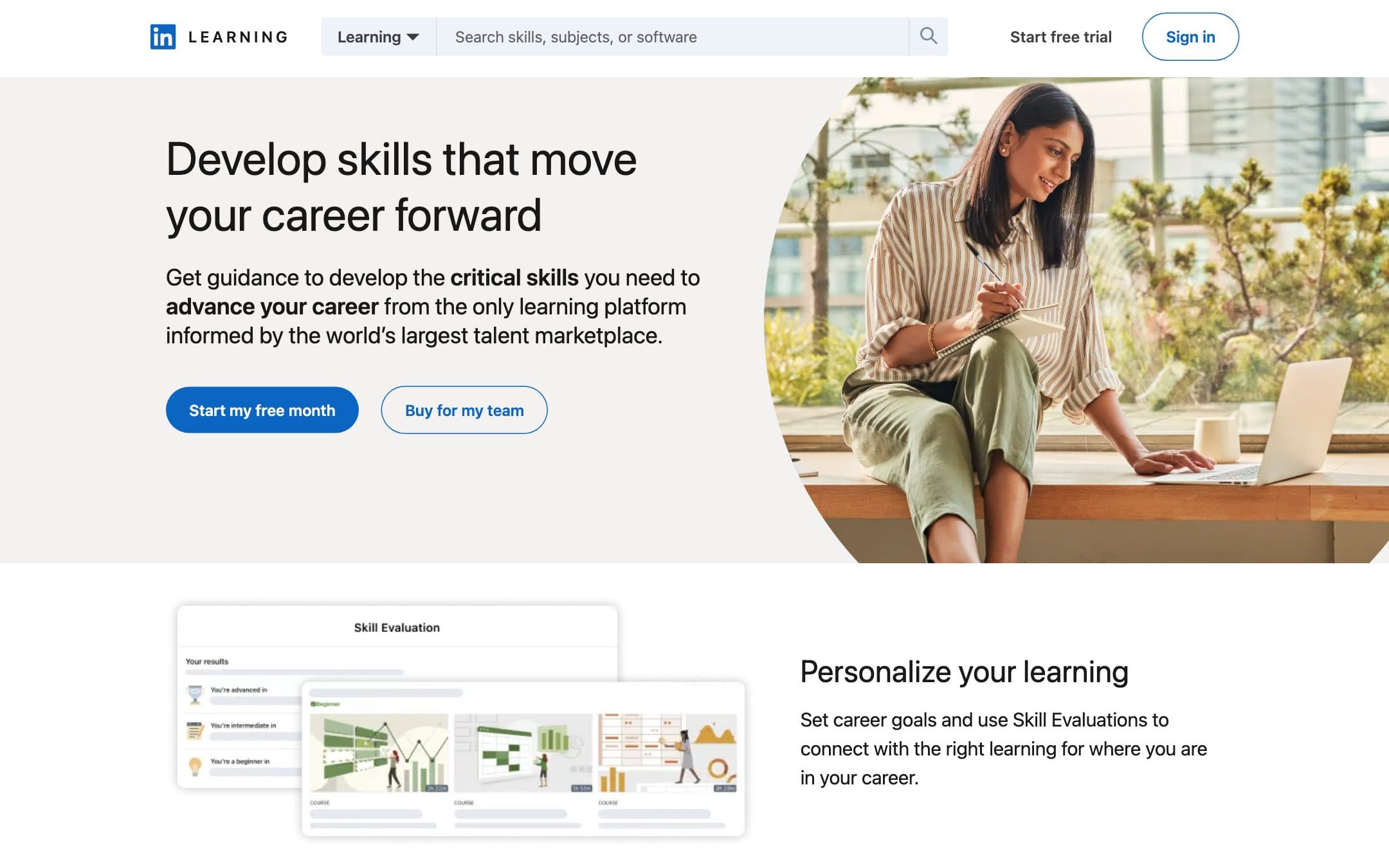
LinkedIn Learning homepage with the headline "Develop skills that move your career forward"
The LinkedIn Learning homepage as it looked on 1 September 2026.

How the 7.0 is built

Score breakdown for linkedin-learning, criteria set Courses and learning
CriterionWeightScore
Content quality

Professionally produced and consistently competent across 26,200 courses, edited to a house standard that rarely disappoints and rarely surprises either.

30%7.5
Practicality

Exercise files, quizzes and role-based paths built around jobs rather than subjects, which is a sensible structure, applied to material that stays fairly shallow.

20%7.5
Instructor credibility

Contracted practitioners rather than institutions or celebrities, vetted and edited, with credentials that are real and rarely remarkable.

15%7.0
Value

Unscoreable on price because none is published, and the subscription competes with a Microsoft 365 or LinkedIn Premium bundle that many buyers already hold without realising the learning is inside it.

15%6.0
Platform experience

A polished player with downloads, subtitles in more than twenty languages and progress that follows you across devices, inside the product you already have open.

10%8.0
Credential value

The certificate lands on the LinkedIn profile a recruiter is already reading, which is a genuinely better delivery mechanism than a PDF, attached to a credential nobody treats as a qualification, alongside Professional Certificates from named providers and preparation for credentials awarded off the platform.

10%5.5
Weighted total100%7.0

Pros and cons

What works

  • The certificate appears on the profile employers already look at
  • Subtitles in more than twenty languages and seven native-language libraries, which is unusual at any price
  • Role-based learning paths organised around jobs rather than subjects
  • A full free month, the longest trial in this comparison

What does not

  • No price published anywhere until you create an account and sign in
  • Courses stay shallow, which suits an introduction and not a career change
  • You keep nothing when the subscription ends
  • Often already included through LinkedIn Premium or an employer or library licence, which the marketing does not help you work out

What LinkedIn Learning costs

No published price · 30-day trial

LinkedIn Learning pricing tiers
PlanMonthlyAnnual, per monthWhat you get
Individual subscription1 learnerNot publishedNo price shown anywhere until you sign in · A free month is offered instead of a figure · Sold monthly and annually once you can see it

This entity carries no figure and the reason is the simplest on this page: LinkedIn Learning does not publish one. The public product page carries no number at all, only a "Start my free month" button, and the pricing screen sits behind a LinkedIn sign-in. Every other platform in this comparison shows a price to a stranger, including the two that show it in the wrong currency. A free month is genuinely offered, and offering a trial instead of a price is a different thing from offering a price. What the page does publish is scale: 26,200 courses, more than 3,900 instructors, subtitles in over 20 languages, 7 native language libraries and 1,300 curated learning paths across more than 35 role guides. It also states that coding courses run in virtual environments on GitHub Codespaces, that it carries Professional Certificates from named providers including Microsoft, and that more than 2,000 of its courses prepare learners for over 120 credentials awarded off the platform.

Key specs

LinkedIn Learning key specifications
FormatVideo, exercise files, quizzes, role-based paths, GitHub Codespaces environments
Certificate
Recognized certificate
Levelall levels
Subtitle languages20
Lifetime access
Community access
Courses26,200 courses
Who teachesIndustry practitioners under contract
CredentialCertificate shown on your LinkedIn profile, plus 2,000+ courses toward 120+ off-platform credentials
Access modelSubscription, price gated behind sign-in
Keep access after cancelling
Price published
Free accessOne free month

Who it is for

Best for

  • Professionals topping up specific workplace skills quickly
  • Anyone whose employer or LinkedIn Premium plan already includes it

Not for

  • Deep technical study, where Pluralsight is built for the job
  • Anyone who wants to compare prices before creating an account

In more detail

The one that will not tell you the price

Every other platform in our comparison puts some number in front of a stranger. Two of them show it in the currency of wherever you are standing, which we have been hard on elsewhere, and Udemy prices courses without pricing its plan. LinkedIn Learning publishes no figure at all.

The public product page carries a button offering a free month and no number anywhere. The pricing screen sits behind a LinkedIn sign-in. You cannot compare this product against the others on this page without first creating a LinkedIn account.

That is the single reason LinkedIn Learning is not one of our four picks. It outscores Udemy, the lowest-scoring of them. On a page anchored to what twelve months of full access costs, a platform that will not say what twelve months costs cannot be recommended above one that will. The product itself scores 7.0 under how we rate, and the pricing page is not part of that score.

Check whether you already have it

Before anything else, and this is the most useful paragraph on the page: there is a decent chance you are already paying for LinkedIn Learning.

It comes with LinkedIn Premium. Microsoft folds LinkedIn Premium into some of its own subscriptions. LinkedIn licenses Learning to employers, where it is often a benefit nobody announced, and to public libraries, where a card number is all it takes.

Ten minutes checking those four things is worth more than any comparison we can write, because the marketing does nothing to help you work it out and the product does not mention it either.

What is actually in there

The scale is published even though the price is not: 26,200 courses, more than 3,900 instructors, subtitles in more than twenty languages, seven native language libraries and around 1,300 curated learning paths across more than thirty-five role guides.

We did not put the other six through the same count, so we will not call that the broadest here. What we can say is that subtitles in more than twenty languages and seven native-language libraries are unusual at any price, and if English is not your first language it is worth weighing against Coursera, which also translates widely.

The material is professionally produced and edited to a house standard. It is consistently competent and it rarely surprises. Courses come with exercise files and quizzes, the paths are organised around jobs rather than subjects, and the coding courses run in virtual environments on GitHub Codespaces, which is more hands-on than the marketing suggests.

It is also shallow. That is the right word rather than a harsh one: these courses are built to get a working professional functional in a tool or a topic quickly, not to take somebody through a subject in depth. For a technical subject in depth, Pluralsight has labs and sandboxes and this has videos. They are not competing for the same hour.

The certificate, which lands somewhere useful

Finish a course and the certificate appears on your LinkedIn profile.

Every certificate issued below Coursera's on this page certifies the same thing, which is that you watched something. MasterClass at least issues none and says so. What makes this one different is the delivery mechanism. It arrives on the profile a recruiter is already reading, rather than as a PDF you would have to find a reason to send.

Treat it as a signal of interest rather than as a qualification. As signals of interest go, it is placed better than any other on this page.

There is a second, better credential story here that the marketing buries. The product page states that LinkedIn Learning carries Professional Certificates from named providers including Microsoft, and that more than 2,000 of its courses prepare you for over 120 credentials awarded off the platform. Those are LinkedIn's own figures, read on the date below. That is the same shape as the Pluralsight argument, at a smaller scale, and it is worth more than the completion badge.

The free month

A full month, the longest trial in this comparison, and it is genuinely free.

It is also, in effect, offered in place of a price. Being handed a trial instead of a figure is a different transaction from being handed a figure, because at the end of it you have invested a month of learning progress before you find out what continuing costs. That is a well-understood way to sell a subscription and it is worth naming.

Who should buy it

Buy it if your employer, your LinkedIn Premium plan, a Microsoft subscription that bundles LinkedIn Premium, or your library card already covers it, in which case this is an easy yes and you should go and use it.

Buy it if you want broad professional top-ups across business, creative and technology at an introductory depth, and if the language support matters to you.

Do not buy it for deep technical study, where Pluralsight has labs and this has videos, or for a craft, where Domestika costs less and teaches better. And do not buy it as a route to a credential that carries weight on its own, which is what Coursera is for.

And if being asked to make an account before seeing a price bothers you as much as it bothers us, Skillshare publishes one number on a page anybody can read, which is the opposite end of the same decision.

Catalogue figures, language support and trial terms on this page were read from the vendor product page on .

Alternatives to LinkedIn Learning

Where LinkedIn Learning appears

LinkedIn Learning questions

How much is LinkedIn Learning?
We cannot tell you, because LinkedIn does not say. The public page carries no figure at all, only a free month offer, and the pricing screen requires a LinkedIn sign-in. Every other platform in this comparison shows a stranger a price. Verified on 30 August 2026.
Do I already have LinkedIn Learning?
Possibly, and it is worth ten minutes to check before subscribing. It is included with LinkedIn Premium, Microsoft bundles LinkedIn Premium into some of its own subscriptions, and LinkedIn licenses Learning to employers and to public libraries. Check those three before paying separately.
Is the LinkedIn Learning certificate worth anything?
It appears directly on your LinkedIn profile, which is a better delivery mechanism than any other certificate in this comparison. What it certifies is that you watched a course, so treat it as a signal of interest rather than as a qualification.
LinkedIn Learning or Pluralsight?
LinkedIn Learning for a broad professional top-up across business, creative and technology at an introductory depth. Pluralsight if the subject is technical and you need labs, sandboxes and certification preparation. They are not really competing for the same hour.

Ready to try LinkedIn Learning?

Will not tell you the price until you have made an account.

Sources