

Skip to content
Top 4 Picks
Four picks. One of them is yours.

Microsoft Copilot review

The one assistant here that does not train on your prompts, sold inside Office.

BRecommended with a reservation

The verdict

The clearest answer in this comparison on what happens to your data, with one reservation: the consumer plans meter AI at 60 credits a month, and the business tier cannot be bought on its own.

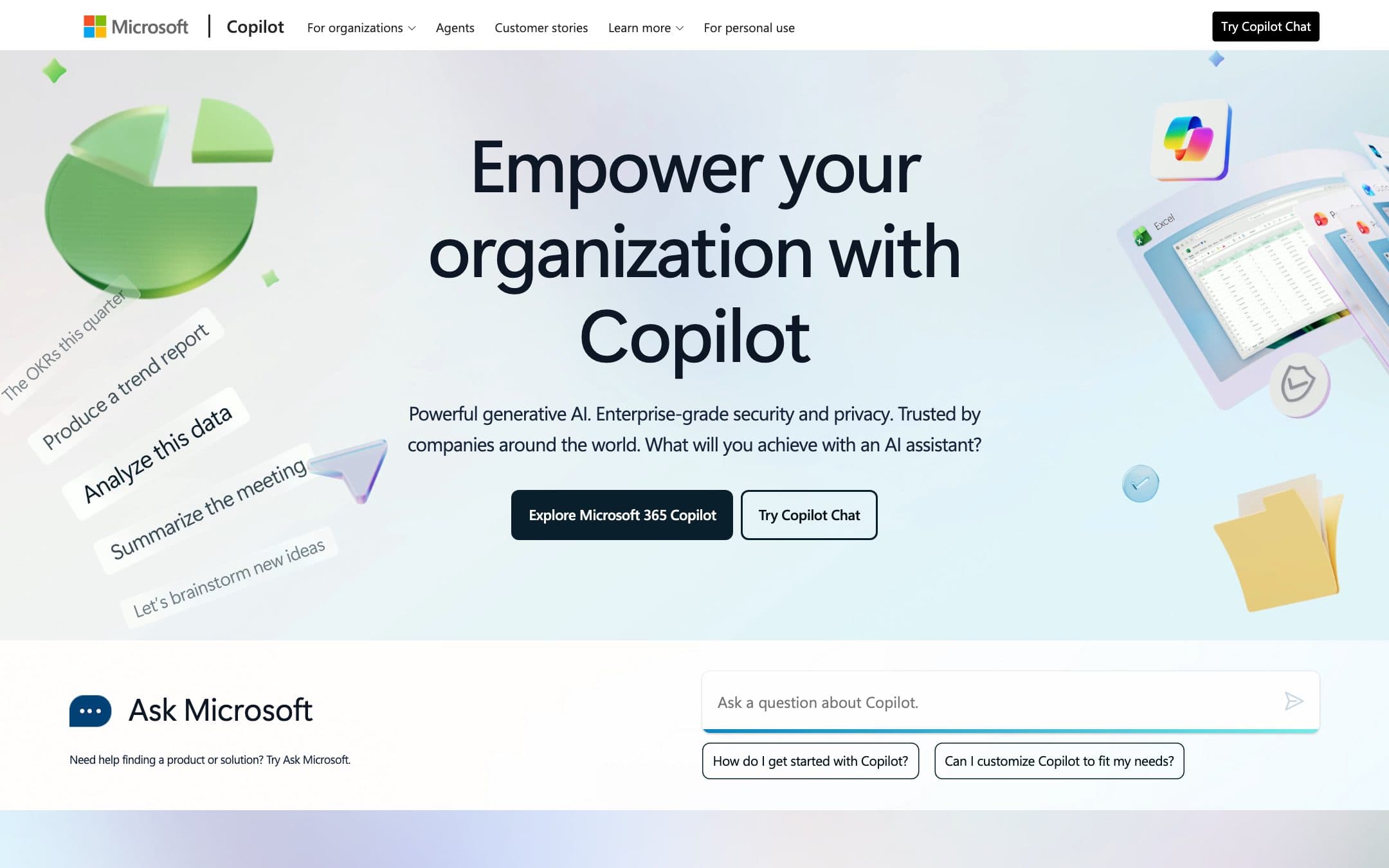
Microsoft Copilot homepage with the headline "Empower your organization with Copilot" beside an illustration of prompts feeding an Office document
The Microsoft Copilot homepage as it looked on 1 September 2026.

How the 7.6 is built

Score breakdown for microsoft-copilot, criteria set Software and apps
CriterionWeightScore
Capability

Grounded in your own files and tenant data with prebuilt Researcher, Analyst and Facilitator agents, but the consumer plans meter core AI actions at 60 credits a month, which is a working ceiling rather than a capability one.

30%7.5
Usability

It runs inside the Word and Excel documents people already have open, so nothing has to be pasted anywhere, and free chat works without an account.

20%8.0
Value

Sixty credits a month on the $9.99 plan is the tightest consumer allowance in this comparison, and the $30 business add on cannot be bought without paying for a separate Microsoft 365 licence underneath it.

20%6.5
Integrations

Word, Excel, PowerPoint, Outlook and Teams natively, plus nine documented Copilot APIs covering retrieval, chat, meeting insights, usage reporting and compliance export, all of which need a commercial licence.

10%9.0
Support

Commercial plans inherit Microsoft 365 support and admin tooling, including retention through Microsoft Purview and agent allow lists in the admin centre.

10%7.0
Trust

Prompts, responses and file contents are not used to train foundation models on either consumer or commercial plans, and Enterprise Data Protection applies automatically at no extra cost, though no retention period is published as a number.

10%8.5
Weighted total100%7.6

Pros and cons

What works

  • Prompts and responses are not used to train foundation models by default, on consumer and commercial plans alike
  • Enterprise Data Protection is automatic and free with any eligible Microsoft 365 plan
  • Consumer AI limits are published as exact numbers, which almost no other vendor here does
  • Copilot Chat reaches every eligible Microsoft 365 seat before anyone buys the $30 add on
  • Free chat works with no account and includes image creation and file upload

What does not

  • Sixty AI credits a month on Personal and Family is a hard cap and a small one
  • Copilot Pro is discontinued, so the individual line up is mid transition
  • The $30 per user business add on requires a separate qualifying Microsoft 365 licence underneath it
  • No individual plan grants API access: the nine Copilot APIs need a commercial licence on top of a qualifying Microsoft 365 plan

What Microsoft Copilot costs

From $9.99 per month · free tier available

Microsoft Copilot pricing tiers
PlanMonthlyAnnual, per monthWhat you get
Copilot freeOne person$0Chat without signing in, image creation, file upload · Web page summarisation in Edge · Available "if capacity is available and you are not over the limit", with no published number
Microsoft 365 PersonalOne person$9.99$8.33Word, Excel, PowerPoint and Outlook desktop apps with Copilot, plus 1 TB of storage · 60 AI credits a month for in app Copilot actions · 10 minutes a day of Vision and 30 minutes a day of Voice · The AI benefits attach to the subscription owner, which is what Family widens
Microsoft 365 FamilyOne to six people$12.99$10.83Everything in Personal for up to six people · 6 TB of storage total · The same monthly credit allowance for each person on the plan
Microsoft 365 PremiumOne to six people$19.99$16.67Adds the Tasks, Analyst and Researcher agents · 25 agent tasks a month shared across agents · 15 minutes a day of Vision and 60 minutes a day of Voice
Microsoft 365 CopilotPer user, requires a qualifying Microsoft 365 plan$30Copilot in Word, Excel, PowerPoint, Outlook and Teams grounded in your tenant data · Copilot Studio agent building and the Copilot developer APIs · Enterprise Data Protection applied automatically

Copilot Pro is discontinued for new purchases and support for existing subscribers ended on 1 August 2026, with Microsoft 365 Premium named as the replacement. The $30 per user Microsoft 365 Copilot add on is not standalone: it requires an existing qualifying Microsoft 365 licence, so the real business floor is $30 plus that base plan. Microsoft 365 Copilot Business is listed at $18 per user a month on annual billing, discounted from $21 through December 2026.

Key specs

Microsoft Copilot key specifications
PlatformsWeb, iOS, Android, Windows, macOS, Microsoft 365 apps, Edge
API access
Team features
Mobile app

Who it is for

Best for

  • Organisations already paying for Microsoft 365 that want AI inside the files they work in
  • Anyone whose deciding question is whether the vendor trains on their content

Not for

  • Heavy individual users, who will exhaust 60 monthly credits quickly
  • Anyone who wants an assistant without buying an Office subscription around it

In more detail

The plan most people came here for no longer exists

If you arrived looking for Copilot Pro, stop. Microsoft withdrew it from sale, and support for existing subscribers ended on 1 August 2026. The named replacement is Microsoft 365 Premium at $19.99 a month.

That matters because the line-up either side of it has moved too, and the shape is unusual: there is no plan here that sells you only an assistant. Free Copilot works in a browser with no account. Microsoft 365 Personal at $9.99 a month, or $8.33 on annual billing, buys the Office desktop apps with Copilot inside them and a terabyte of storage. Family at $12.99 extends that to six people. For businesses, Microsoft 365 Copilot is $30 per user per month.

Every paid rung is an Office subscription with AI attached. If you do not want Office, none of them is priced for you.

Sixty credits a month, and why a small number beats a hidden one

Microsoft 365 Personal and Family include sixty AI credits a month for in-app Copilot actions: drafting, rewriting, summarising, analysing, generating an image. Vision runs ten minutes a day and Voice thirty. Premium raises those to fifteen and sixty minutes and adds twenty five agent tasks a month shared across the Tasks, Analyst and Researcher agents.

Sixty is not many. A working week of drafting in Word will find the edge of it.

It is still the most useful number in this category, because it is the only place a consumer is told what a paid assistant allowance actually is. ChatGPT, Claude and Gemini all express their paid consumer allowance as a multiple of another plan and never publish the figure being multiplied.

Spend the first month finding the edge on purpose

Sixty credits is small enough to exhaust deliberately. Run a normal fortnight, then check what is left, and you will know before renewal whether Personal fits or whether you needed Premium. Nobody else in this category lets you run that test, because nobody else publishes a number to test against.

The thirty dollar tier is a surcharge, not a price

The business number needs reading carefully. Microsoft 365 Copilot is an add-on, not a plan. It requires a qualifying Microsoft 365 licence underneath it, such as Business Standard or E3, so the real per-seat cost is that figure plus whatever the base licence costs. A comparison against a thirty dollar assistant elsewhere is not comparing like with like.

There is a softer entry that most write-ups miss. Copilot Chat is included at no extra cost with an eligible Microsoft 365 plan and carries Enterprise Data Protection. An organisation can put a governed assistant in front of every seat before it buys a single add-on licence, then buy the add-on only for the people who hit the wall. For a rollout, that is a materially better shape than a per-seat decision taken up front.

The only vendor here that does not train on you

Microsoft states that prompts, responses and file contents in Microsoft 365 apps are not used to train foundation models. That applies on consumer plans and commercial ones alike, and there is no setting to change because there is nothing to turn off.

Set that against the field. Gemini keeps consumer chats eighteen months by default and trains on them. Claude makes it a choice with five year retention attached when the choice is left on. Perplexity trains by default and says plainly that opting out does not remove what was already used.

On commercial plans, Enterprise Data Protection applies automatically at no extra cost: prompts and responses fall under the same contractual terms as your Exchange and SharePoint data, encrypted, tenant-isolated, and respecting the permissions and sensitivity labels you already have. Admins get retention through Microsoft Purview and agent allow lists in the admin centre.

What Microsoft does not publish is a retention period in days for stored prompts, on either side. That single gap is why this does not score higher still under how we rate.

Where a general assistant beats it

Copilot scores 7.6 and capability is the larger drag, with value close behind. Sixty credits is tight, the free tier publishes no ceiling at all, and no individual plan grants API access: the nine documented Copilot APIs need a commercial licence on top of a qualifying Microsoft 365 subscription.

The deeper limitation is the one from the first section. This is not an assistant you buy, it is an assistant that comes with an Office subscription. If you want one prompt box for writing, analysis, code and research and you do not need it inside Excel, you are paying for the wrong half of the product. That is what sends people to ChatGPT at similar money, and it is why Copilot sits in the also considered list of our assistant comparison rather than in the four.

Who should stay on the free tier

Free Copilot is genuinely usable and needs no account, which is rarer than it sounds. If your use is occasional and browser-based, stay there.

Pay when the work is inside your own files, because that is the only thing the paid tiers do that the free one cannot. And if you are buying for an organisation, turn on Copilot Chat across the tenant first and let usage tell you who needs a seat, rather than guessing.

Prices, credit allowances and data terms on this page were checked against the vendor pricing pages, Microsoft support articles and Microsoft Learn documentation on .

Alternatives to Microsoft Copilot

Where Microsoft Copilot appears

Microsoft Copilot questions

Is Copilot Pro still available?
No. Microsoft states Copilot Pro is no longer available for purchase and that support for existing subscribers ended on 1 August 2026. Microsoft 365 Premium at $19.99 a month is the stated replacement.
Does Microsoft train on my Copilot prompts?
No. Microsoft states that prompts, responses and file contents in Microsoft 365 apps are not used to train foundation models, on both consumer and commercial plans, with no setting to change.
What is an AI credit?
A unit consumed by in app Copilot actions such as drafting, rewriting, summarising, analysing and image generation. Microsoft 365 Personal and Family include 60 a month per person, verified on 29 August 2026.
Can a business buy Microsoft 365 Copilot on its own?
No. The $30 per user per month add on requires an existing qualifying Microsoft 365 plan such as Business Standard or E3, so the total per seat is that base licence plus $30.

Ready to try Microsoft Copilot?

The one assistant here that does not train on your prompts, sold inside Office.

Sources