

Skip to content
Top 4 Picks
Four picks. One of them is yours.

Visme review

The plan that removes the logo is not the plan that lets you sell the work.

BRecommended with a reservation

The verdict

Genuinely the best at documents and data, sold through a plan ladder that hides where the commercial licence starts.

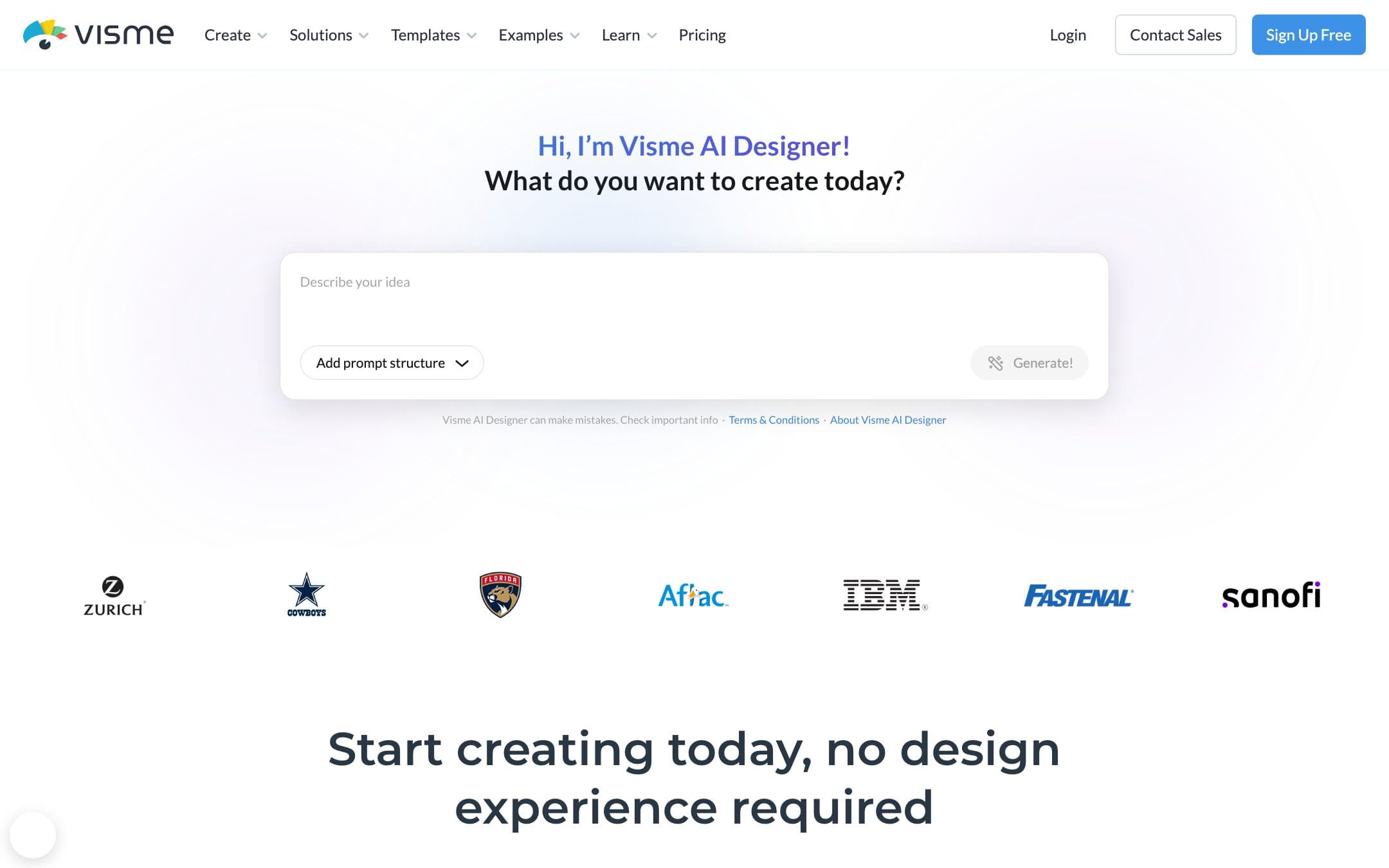
Visme homepage with the headline "Hi, I’m Visme AI Designer!"
The Visme homepage as it looked on 1 September 2026.

How the 6.8 is built

Score breakdown for visme, criteria set Software and apps
CriterionWeightScore
Capability

The strongest data and document work in this set, with charts, dashboards, forms and interactive documents that Canva and its imitators handle poorly or not at all.

30%8.5
Usability

More editor than the others expose and a steeper first hour for a non-designer, which is the cost of the extra capability rather than a defect.

20%7.0
Value

Two hundred and ninety seven dollars a year per person for the cheapest commercially licensed plan is the worst value here by a distance, and the cheaper Starter tier reads like a qualifying plan and is not one.

20%4.5
Integrations

Analytics, HubSpot, Mailchimp and Slack among others, aimed at a marketing team rather than at an individual.

10%7.0
Support

A clear help centre, and the cancellation article is the most explicit document of its kind in this comparison, which is to its credit.

10%7.0
Trust

The terms and the pricing page pull in opposite directions on what Starter buys, projects survive a cancellation while downloads stop, and the terms elsewhere reserve the right to delete all your data on cancellation.

10%5.5
Weighted total100%6.8

Pros and cons

What works

  • The best charts, dashboards and interactive documents in this comparison
  • The most explicit published account of what a cancellation does to your work
  • You own the AI output you generate
  • Real integrations for a marketing team

What does not

  • Starter removes the watermark and does not grant commercial use
  • The cheapest qualifying plan is $297 a year per person, the most expensive here
  • Content may not be used in a logo, trademark or any branding
  • Cancelling puts a Made with VISME watermark on anything published or embedded

What Visme costs

From $12.25 per month · free tier available

Visme pricing tiers
PlanMonthlyAnnual, per monthWhat you get
StarterPer personNot published$12.25Removes the Visme logo from projects · Does not grant commercial use, which the terms reserve for Pro and Enterprise · $147 for twelve months per person
ProPer personNot published$24.75$297 for twelve months, the figure this comparison uses and the highest here · The cheapest Visme plan whose terms permit commercial use · Two and a half times Adobe Express and VistaCreate
Basic, free1 person$0A "Made with VISME" watermark on anything published or embedded · A PREMIUM watermark on premium elements · Personal use only under the terms

The most important licence finding in this comparison, and the pricing page is arranged so that you will not spot it. Visme Starter at $147 a year removes the vendor logo. It does not grant you the right to use the work commercially: the terms state that "If you have signed up for our Pro or Enterprise Plan, you are permitted to use the Services for both personal and commercial use." So the cheapest Visme plan that satisfies both halves of a working brief is Pro at $297 a year per person, which is the most expensive qualifying plan on this page by a wide margin. The per-month figures multiply exactly into the annual totals, so they are annual-billing rates and a separate monthly price is not published. Education plans are educational use only.

Key specs

Visme key specifications
Mobile app
Support channelsHelp centre
Commercial use on free planNo. The terms reserve commercial use for Pro and Enterprise
Watermark on free exportsYes: a Made with VISME watermark on published or embedded projects, and PREMIUM on premium elements
Cheapest qualifying planPro at $297 a year per person, not the cheaper Starter
Stock licenceSingle licence with no extended tier. Materials may not be downloaded without significant modification
Usable in a logo or trademarkProhibited: no use in logos, trademarks, service marks or other branding
Merchandise and print on demandNot addressed beyond the branding prohibition
Rights in AI outputYou own the input you provide and the resulting generated material, to the extent allowed by law
AI creditsNot published
What happens when you stop payingProjects stay accessible and downloading stops. Published work gains a Made with VISME watermark and team members lose access
Desktop appNot established

Who it is for

Best for

  • Marketing and comms teams making reports, dashboards and interactive documents
  • Anyone whose work is mostly data rather than pictures

Not for

  • An individual on a budget, where the qualifying plan costs more than double the alternatives
  • Anyone who assumed the cheapest paid tier came with commercial rights

In more detail

The best charts in the category

If your work is reports, dashboards, interactive documents and data rather than posters, Visme is the strongest tool in our comparison and none of the others are really trying to compete. Canva handles charts poorly. Piktochart does infographics well and stops there. Visme does the whole category.

It scores 6.8 under how we rate and it holds our specialist pick.

Now the part that costs money, and it is the best finding in this comparison.

The plan that removes the logo is not the plan that lets you sell

Visme Starter is $147 a year per person. The pricing page lists "No Visme Logo on Projects" as a Starter feature, which reads exactly like the upgrade a freelancer needs.

It is not. The Visme terms state:

"If you have signed up for our Pro or Enterprise Plan, you are permitted to use the Services for both personal and commercial use."

Starter is not on that list. So the plan that removes the watermark does not carry the commercial licence, and the two things people assume are the same purchase are two purchases.

The cheapest Visme plan that satisfies both is Pro, at $297 a year per person. That is the most expensive qualifying plan in this comparison: two and a half times Adobe Express at $119.88, which is Adobe's monthly rate twelve times because it publishes no annual total, and well over Canva Pro at $180.

The pricing page never makes this distinction. It lists the logo removal as a Starter feature and leaves the licence to the terms document, which is where the two halves come apart.

What cancelling actually does

Credit where it is owed: Visme publishes the clearest account of this in the whole comparison, and it is worth reading before you subscribe rather than after.

Your projects stay accessible. Downloading stops. Anything you had publicly published or embedded gains a "Made with VISME" watermark, retroactively, on work already out in the world. Premium elements gain a PREMIUM watermark. Team members lose both access and sharing rights.

Reactivating reverses it.

Set against that clarity, the terms elsewhere reserve the right to delete all your data following cancellation, which is a harder position than the support article implies. Both statements are the vendor's and they do not sit comfortably together.

Where the money goes

The free Basic plan is personal use only under the terms and watermarks anything published or embedded, so it is a way to try the editor rather than a way to make anything.

Starter at $147 is the trap described above.

Pro at $297 is the product. For a marketing team producing reports that clients see, it is defensible: the charts, the dashboards, the forms and the analytics integrations are all genuinely better than the cheaper alternatives, and per person on a team budget it is not a large number.

For one freelancer it is a lot of money for a tool whose nearest competitors charge $120 or $120 for a qualifying plan, around forty percent of this, and the honest recommendation is to be sure you need the charts. The VistaCreate figure is its monthly rate twelve times, because it advertises an annual discount without printing the total.

One more restriction that matters to this audience: Visme materials may not be used "in logos, trademarks, service marks, or any other branding or identifiers". Canva and VistaCreate say the same thing in their own words. The other four vendors here do not address logos at all. Take that as unanswered rather than as a yes, which is the safe reading of a gap in somebody else's terms.

Who should buy it

Buy Pro if you are a marketing or communications team and your output is reports, dashboards and documents that go to clients. On that brief it is the best tool here and the price is a team line item rather than a personal one.

Do not buy Starter thinking it is the cheap version of Pro. On the terms it is not licensed for commercial work, and that is the whole reason this review exists.

Do not buy any of it if your work is social graphics and posters, where Canva scores higher, is broader and is cheaper, and where nothing Visme does better will ever come up.

Prices, licence terms and cancellation behaviour on this page were read from the vendor pricing page, terms and conditions and support centre on . We did not test the products in this comparison.

Alternatives to Visme

Where Visme appears

Visme questions

Can I use Visme Starter commercially?
On the terms, no. Visme states that commercial use is permitted "If you have signed up for our Pro or Enterprise Plan". Starter removes the vendor logo, which is a different thing, and the pricing page does not make the distinction. Verified on 30 August 2026.
How much does Visme cost to use commercially?
Pro, at $297 for twelve months per person. Starter at $147 is cheaper, removes the watermark and does not carry the licence. That makes Visme the most expensive qualifying plan in this comparison, against $180 at Canva and $119.88 at Adobe Express, the last of which is the Adobe monthly rate twelve times, because Adobe publishes no annual total.
What happens if I cancel Visme?
Your projects stay accessible and you can no longer download them. Anything publicly published or embedded gains a "Made with VISME" watermark, premium elements gain a PREMIUM watermark, and team members lose access and sharing rights. Reactivating restores it.
Can I design a logo in Visme?
Not with Visme materials. The licence states it "does not allow the use of Materials in logos, trademarks, service marks, or any other branding or identifiers". Canva and VistaCreate carry the same restriction.

Ready to try Visme?

The plan that removes the logo is not the plan that lets you sell the work.

Sources