
Skip to content
Top 4 Picks
Four picks. One of them is yours.

monday.com review

The most recommended tool here, priced a tier above where the recommendations stop.

BRecommended with a reservation

The verdict

The best-known tool in the category, at the highest qualifying price and the tightest automation allowance.

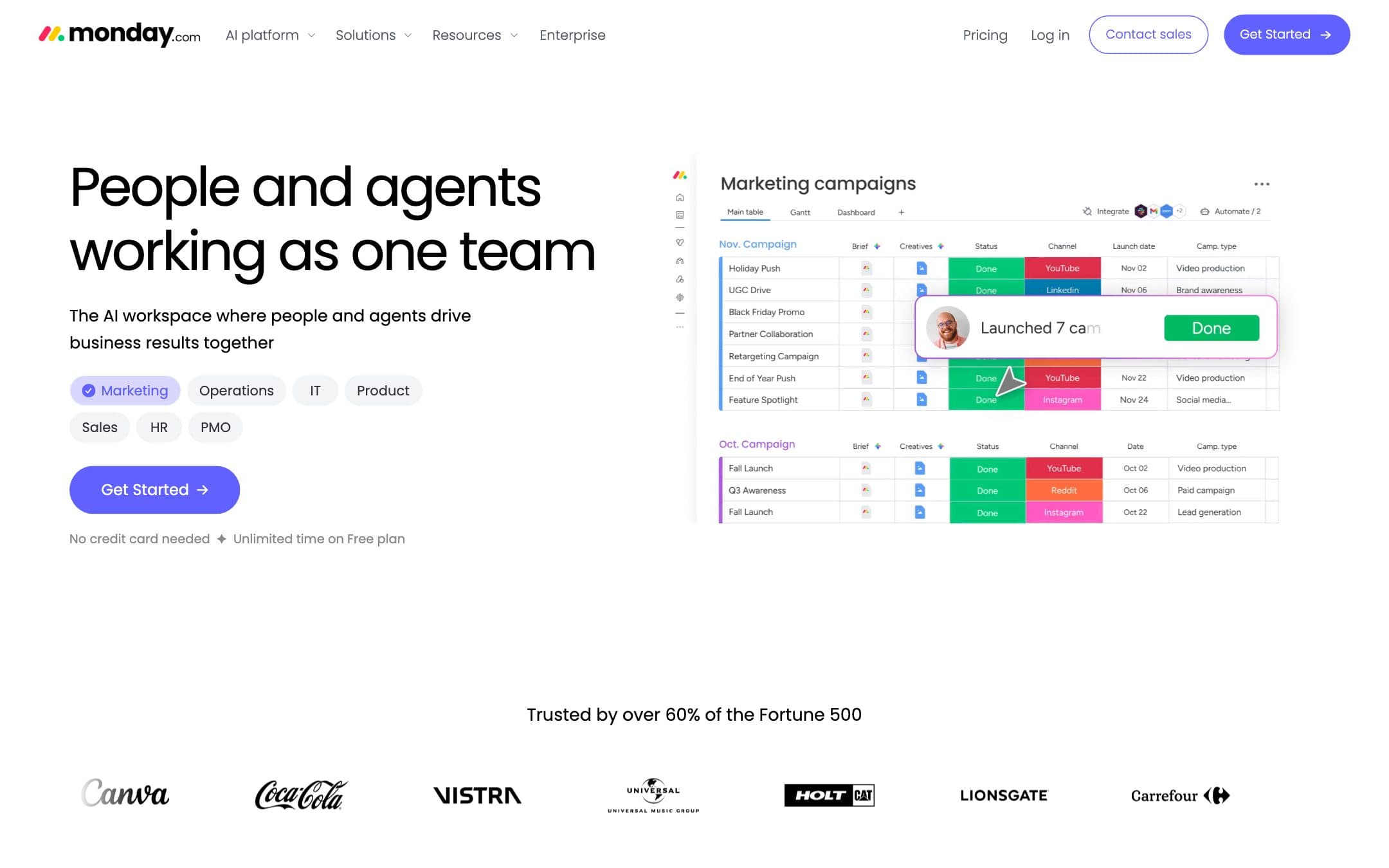
monday.com homepage with the headline "People and agents working as one team" beside a marketing campaign board
The monday.com homepage as it looked on 1 September 2026.

How the 7.6 is built

Score breakdown for monday-com, criteria set Software and apps
CriterionWeightScore
Capability

A genuinely broad platform with the best board and dashboard model in the set, and a feature ladder that puts Timeline on the second tier and any usable automation allowance on the third.

30%8.0
Usability

The most immediately legible interface here for somebody who thinks in spreadsheets, at the cost of a setup step: an empty monday board asks you to design a schema before you can write anything down.

20%8.0
Value

The dearest qualifying plan in this comparison at $1,440 for ten people for a year, and what that buys is 250 automation actions a month for the whole account. The tightest published allowance here, at a quarter of what ClickUp gives for $600 less, on the highest price.

20%6.0
Integrations

A large integration catalogue and a documented API, with the caveat that integration runs draw on the same monthly action allowance as automations.

10%8.5
Support

A thorough help centre and the most detailed contractual SLA of the seven, with a published credit schedule, available on Enterprise only.

10%8.0
Trust

Listed on Nasdaq with a full audit set including SOC 1, 2 and 3 and five ISO certifications. Two clauses to read first: up to 45 consecutive minutes of read-only mode is contractually not downtime, and the terms reserve the right to delete data from an inactive account at any time.

10%7.0
Weighted total100%7.6

Pros and cons

What works

  • The clearest board and dashboard model in the comparison
  • Unlimited free viewers on every paid plan
  • The most detailed contractual SLA here, with a published credit schedule
  • A full compliance set and audited public accounts

What does not

  • Timeline and Gantt start on the second paid tier, not the $9 plan everyone quotes
  • 250 automation actions a month on that tier, for the entire account
  • Minimum three seats and then multiples of five
  • SAML SSO is Enterprise only, and the SLA excludes 45 minutes of read-only mode

What monday.com costs

From $9 per month · free tier available

monday.com pricing tiers
PlanMonthlyAnnual, per monthWhat you get
StandardPer seat, minimum 3, then multiples of 5$14$12The first plan with Timeline and Gantt views · 250 automation and integration actions a month for the whole account · 2,000 AI credits a month, five AI tools, three workflows
BasicPer seat, minimum 3, then multiples of 5$12$9The rate every comparison page quotes · No Timeline, no Gantt, and no automation or integration actions at all · Unlimited free viewers, 1,000 AI credits a month
ProPer seat$24$1925,000 automation and integration actions a month, a hundredfold step up from Standard · Google SSO, twenty workflows, 3,000 AI credits · Time tracking, formula column, private boards
FreeUp to 2 seats$0Two seats, three boards, three docs · Unlimited free viewers with read-only access · No automation or integration actions

The visible pricing cards publish the annual rate only. Basic is $9 a seat a month, Standard $12 and Pro $19, all billed annually, and the monthly rates of $12, $14 and $24 appear in the same page structured data rather than in the copy, along with the vendor statement that annual billing is an 18 percent discount. Two things a buyer should read before comparing that $9 with anything. Timeline and Gantt views first appear on Standard, not Basic, so the rate every review quotes buys a plan with no timeline. And the automation allowance is not a footnote: Basic has none at all, Standard has 250 actions a month for the entire account, and Pro has 25,000. A ten person team running a handful of rules will move 250 actions in a week. Seats are sold from a minimum of three and then in multiples of five, so a team of eleven buys fifteen.

Key specs

monday.com key specifications
PlatformsWeb, macOS, Windows, iOS, Android
API access
Team features
Data export
GDPR
SOC 2
Mobile app
Support channelsHelp centre, Email, Community
Uptime SLA99.9%, Enterprise only, with credits from 5 to 30 percent of monthly fees. Up to 45 consecutive minutes in read-only mode is excluded from downtime
What happens when you stop payingThe account moves to a free trial for 7 days and then becomes inactive. The terms reserve the right to delete data from an inactive account at any time, and the read-only export window can be ended without notice
Cheapest working planStandard at $12 a seat a month billed annually, not the advertised $9
Minimum seats and incrementsMinimum 3 seats, then multiples of 5
Free guestsUnlimited free viewers with read-only access, from Basic upward
Automation allowanceNone on Basic, 250 actions a month on Standard for the whole account, 25,000 on Pro
Timeline or Gantt fromStandard, the second paid tier
StorageNot established from the pricing page
Export formatsWhole-account export as a zip, and Excel per board
What the export containsBoards including private ones, and files uploaded to boards. Excludes archived boards, workdocs, dashboards and the Emails and Activities timeline. Whether updates and comments are included is not established. The download link is valid for 24 hours
SAML SSO fromEnterprise for SAML. Google SSO from Pro at $19 a seat a month

Who it is for

Best for

  • A team that works in boards and dashboards and runs few automations
  • Anyone who needs a contractual uptime credit and will buy Enterprise for it

Not for

  • A team that automates its process, where the Standard allowance runs out in days
  • Anyone comparing on the advertised $9, which is not a plan with a timeline

In more detail

The nine dollars is not a plan

Every comparison page we read in this category quotes monday.com at $9 a seat a month. It is a real price and it buys the Basic plan, and Basic has no Timeline view, no Gantt chart, and no automation or integration actions at all.

The first monday.com plan that can draw a timeline is Standard at $12 a seat a month billed annually. For ten people over twelve months that is $1,440, the dearest qualifying plan in our comparison, and $360 more than the number everyone quotes.

It scores 7.6 under how we rate and sits in the also-considered list. The board model is the best here. The ladder is why it is not a pick.

Two hundred and fifty automations a month

Standard carries 250 automation and integration actions a month. Not per seat. For the whole account.

Set that beside the field. Asana Starter and Trello Premium publish no limit. ClickUp Unlimited gives 1,000 actions a month at $840 a year for ten people. Wrike Team gives 50 per seat, so 500 for a team of ten.

So the dearest qualifying plan on the page has the tightest published allowance on the page, by a factor of four against a tool that costs $600 less. Integration runs draw on the same pool, so a Slack notification and a status change are both actions.

Pro at $19 a seat lifts that to 25,000, which is a hundredfold step and another $840 a year for ten people. Between the two there is nothing.

Only one side of the toggle

The visible pricing cards print the annual rate and nothing else: $9, $12 and $19 a seat a month billed annually. The monthly-billing rates are $12, $14 and $24, and we found them in the page's own structured data rather than in its copy. The FAQ states the annual discount as 18 percent.

That puts monday.com in the same bracket as Adobe, Notion and Desygner elsewhere on this site: the number a reader can see is the number the vendor prefers. We record both and quote the one that is printed.

Seats have their own arithmetic. The help centre states that plans start at a minimum of three seats and then ascend in multiples of five, so a team of eleven buys fifteen. The pricing page does not mention it; it just defaults the seat selector to ten.

The SLA, and the forty five minutes

monday.com publishes the most detailed service level agreement of the seven, with a real credit schedule running from 5 to 30 percent of monthly fees on a sliding scale, capped at a month. It applies to Enterprise only, and you have 90 days to claim.

Then this, from the same document: up to 45 consecutive minutes in read-only mode is excluded from the definition of downtime. Forty five minutes in which nobody on your team can change anything is contractually not an outage.

The terms have a second clause worth reading before you sign rather than after. On termination, if you have not deleted your data, monday.com "may continue to store and host it until either Customer or we, at our sole discretion, delete such Customer Data", and the read-only window in which you export can be ended at any time without notice. The export itself excludes archived boards, workdocs and dashboards, and the download link expires in 24 hours.

What it is genuinely good at

The board is the best in the category. Columns behave predictably, the dashboard widgets are the clearest here, and a non-technical team can build something useful without a consultant, which is more than Wrike can claim.

The compliance set is complete: SOC 1, SOC 2 and SOC 3 Type II, ISO 27001, 27017, 27018, 27032 and 27701, a HIPAA BAA and the EU-US Data Privacy Framework. It is a Nasdaq-listed company with published accounts. On the trust criterion the paperwork is not the problem.

Unlimited free viewers on every paid plan is a genuine benefit, with the caveat that a viewer can read and nothing else.

Who should buy it

Buy Standard if your team lives in boards and dashboards and runs a handful of automations rather than a process. On that brief it is the nicest tool here and the $1,440 is defensible.

Buy Pro if you automate seriously, and price the $2,280 a year for ten people against Asana at $1,318.80 with no automation limit at all before you do.

Do not buy on the advertised $9, which is the whole reason this review exists. And do not assume the SLA covers what you think it covers.

Prices, plan contents, the automation allowances and the service level agreement on this page were read from the vendor pricing page, help centre, trust centre and legal pages on . We did not test the products in this comparison.

Alternatives to monday.com

Where monday.com appears

monday.com questions

How much is monday.com for a team of ten?
Standard is $12 a seat a month billed annually, so ten people for twelve months is $1,440. Basic is $9 but has no Timeline or Gantt and no automation actions. The monthly-billing rates are $14 and $12 and appear only in the page structured data. Verified on 1 September 2026.
Which monday.com plan has Gantt charts?
Standard, the second paid tier, at $12 a seat a month billed annually. The Basic plan at $9 that most comparison pages quote does not include Timeline or Gantt views.
How many automations do I get?
Basic has none. Standard has 250 automation and integration actions a month for the whole account, not per seat. Pro has 25,000 and Enterprise 250,000. Integration runs draw on the same allowance.
What is the minimum number of seats?
Three. The help centre states that plans start at a minimum of three seats and then ascend in multiples of five, so a team of eleven buys fifteen.

Ready to try monday.com?

The most recommended tool here, priced a tier above where the recommendations stop.

Sources