
Skip to content
Top 4 Picks
Four picks. One of them is yours.

Wrike review

A capable tool on a plan that caps out at fifteen people and cannot back itself up.

BRecommended with a reservation

The verdict

The most capable tool in the also-considered list, on the plan with the most ways to run out.

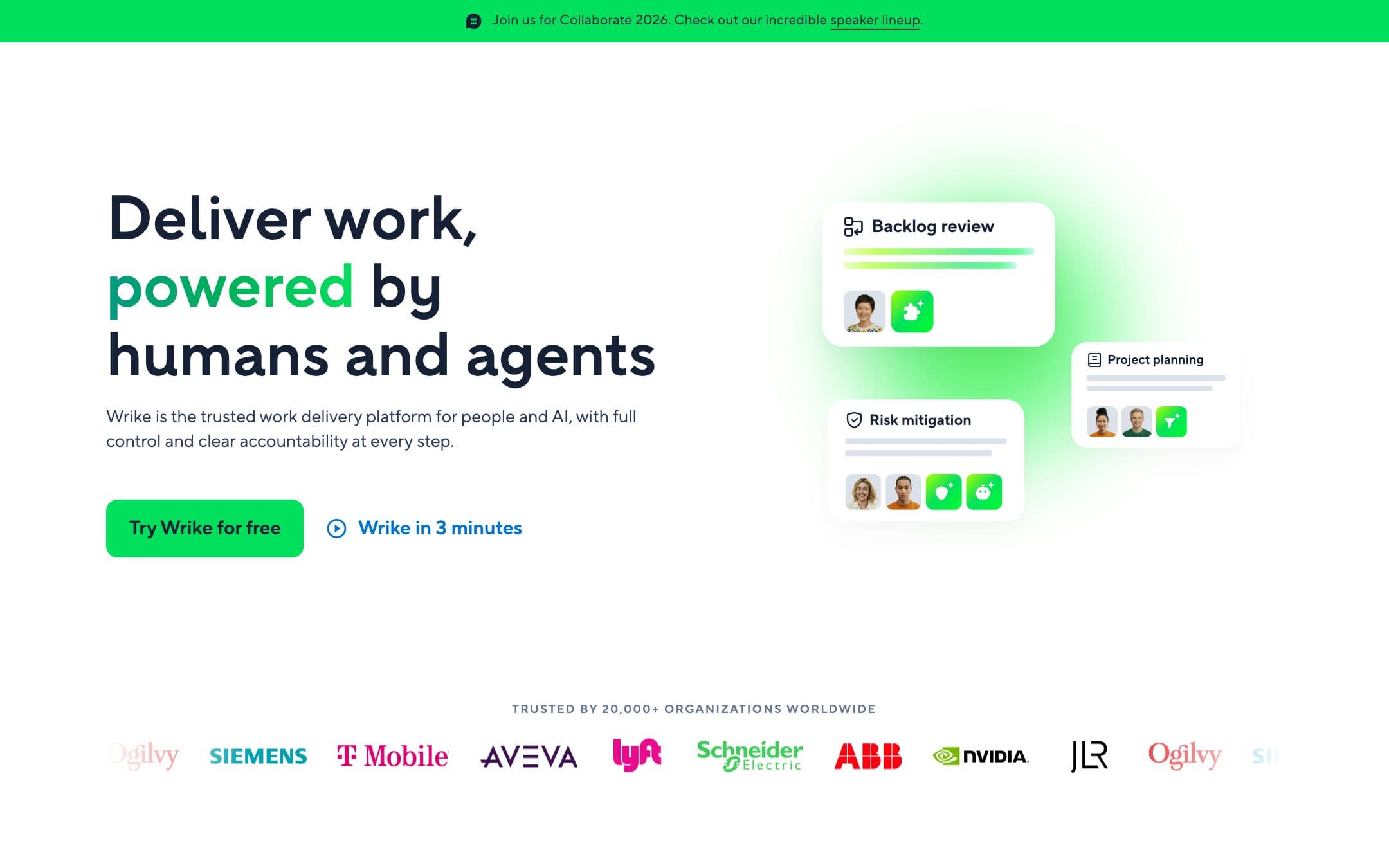
Wrike homepage with the headline "Deliver work, powered by humans and agents" beside three floating project cards
The Wrike homepage as it looked on 1 September 2026.

How the 6.8 is built

Score breakdown for wrike, criteria set Software and apps
CriterionWeightScore
Capability

Genuinely strong project work: interactive Gantt on the first paid tier, proofing and approvals, and resource and capacity planning above. The feature depth of an enterprise tool, arranged so that the depth starts at $25.

30%8.0
Usability

The densest interface in the comparison. Wrike assumes a project manager rather than a team member, and a first-time user meets more panes, folders and permissions than any rival here puts in front of them.

20%6.5
Value

Twelve hundred dollars for ten people for a year buys a plan that stops at fifteen people, meters automations at fifty actions per seat, and cannot back itself up. The next step is two and a half times the price.

20%6.0
Integrations

A solid catalogue and a documented API, with the deeper two-way syncs held back to Apex, and the caveat that files attached from Box, Dropbox or Google Drive are excluded from the account backup.

10%7.5
Support

A large and precise help centre, which is where the automation limits and the backup restrictions are actually documented, set against no published uptime commitment anywhere.

10%6.5
Trust

Three owners in three years, Citrix to independent to Symphony Technology Group. No public SLA. Refunds refused in capitals for unused periods and downgrades. And a pricing page still advertising ISO 27001:2013 and Privacy Shield certification, an arrangement invalidated in 2020, while the trust centre is current.

10%5.0
Weighted total100%6.8

Pros and cons

What works

  • Interactive Gantt charts on the first paid tier
  • Unlimited free viewers on every plan, for accounts opened since January 2025
  • The most precise help-centre documentation of its own limits in this comparison
  • Real resource and capacity planning, if you buy far enough up the ladder

What does not

  • The Team plan stops at fifteen users and the next step is two and a half times the price
  • Account backup requires Business, so the plan we price cannot export itself
  • Automations are 50 actions per seat a month and every rule switches off at the cap
  • SAML SSO is on two contact-sales plans, and the pricing page still cites Privacy Shield

What Wrike costs

From $10 per month · free tier available

Wrike pricing tiers
PlanMonthlyAnnual, per monthWhat you get
Team2 to 15 users, sold in groups of fiveNot published$10Interactive Gantt charts and shareable dashboards · 50 automation actions per paid seat a month, and every rule switches off at the cap · No account backup: that is a Business feature
Business5 to 200 users, annual subscription onlyNot published$25Two and a half times the Team rate, which is the real step in this ladder · 200 automation actions per paid seat a month · Account backup including attachments and comments, which Team does not have
FreeNo published limit$0Board and table views, task and project management · No automation rules at all · Auto-deleted after 180 days of inactivity

Wrike prints one rate per plan with no billing toggle, and the period sits in the small print beside it: "The amount shown is priced per month and billed on an annual per-user basis." So $10 and $25 are annual-billing rates. Whether a monthly rate exists for Team is unpublished: the only related statement is that Business plans and above are annual-only, which implies Team may not be. Prices are stated in US dollars on the vendor FAQ. What matters more than the rate is the shape of the plan. Team runs from 2 to 15 users and Business from 5 to 200, so Team is the only plan in this comparison whose headcount cap you hit before the price stops you, and the step out of it is two and a half times the price. Seats are sold in groups of five up to thirty. Automation is metered per seat rather than per account, at 50 actions per paid seat a month on Team, and when the account reaches the limit "all rules will be disabled automatically". And the account backup that would let you leave sits on Business, so the plan we price cannot export itself.

Key specs

Wrike key specifications
PlatformsWeb, macOS, Windows, iOS, Android
API access
Team features
Data export
GDPR
SOC 2
Mobile app
Support channelsHelp centre, Email, Community
Uptime SLANone published. The terms provide the service as is, with all faults and as available. A marketing footer claims uptime over 99.9 percent
What happens when you stop payingThe terms refuse refunds for unused periods or downgrades in capitals, and state that a downgrade "may cause the loss of Customer Data or Add-ons". A free account is deleted after 180 days of inactivity
Cheapest working planTeam at $10 a user a month, billed annually
Minimum seats and incrementsTeam is 2 to 15 users, Business 5 to 200. Sold in groups of five up to 30 seats, groups of ten to 100, groups of 25 above that
Free guestsUnlimited free viewers on all plans, for accounts created on or after 20 January 2025. The older Collaborator licence, capped at 20 invites or 15 percent of the licence count, is being discontinued
Automation allowanceNone on Free. 50 actions per paid seat a month on Team, 200 on Business, 1,500 on Pinnacle, 3,000 on Apex. At the cap all rules are disabled automatically
Timeline or Gantt fromTeam, the first paid tier, with interactive Gantt charts
StorageNot established from the pricing page
Export formatsAccount backup on Business, Pinnacle and Apex only. Not available on Free or Team
What the export containsTasks, folders and projects with descriptions and time logs, file attachments stored in Wrike, comments and user info. Excludes the recycle bin, files attached from Box, Dropbox or Google Drive, the activity stream and blueprints. Backed up data cannot be imported back into Wrike
SAML SSO fromPinnacle and Apex, both of which are contact-sales plans with no published price. Explicitly unavailable on Free, Team and Business

Who it is for

Best for

  • A project manager who wants proofing, approvals and a real Gantt
  • A team that will stay under fifteen people or is ready to pay $25 a seat

Not for

  • A team that expects to pass fifteen people within the year
  • Anyone whose exit plan depends on exporting from the plan they bought

In more detail

A capable tool on a plan you can outgrow

Wrike Team gives you interactive Gantt charts on the first paid tier, which monday.com and Trello do not. Above it sit proofing, approvals and real resource and capacity planning, which only Asana Advanced approaches in our comparison, and then without the proofing.

Then the plan card, in small type: 2 to 15 users.

Wrike scores 6.8 under how we rate, the lowest of the seven, and sits in the also-considered list. Not because the software is weak. Because of the shape of the plan you can afford.

Fifteen, and then twenty five dollars

Team is $10 a user a month billed annually, so $1,200 for ten people over twelve months. Business is $25 and runs from 5 to 200 users. Both are annual-billing rates: the pricing page states the amount is priced per month and billed on an annual per-user basis. Whether Team can also be bought monthly is unpublished, and the only related statement is that Business and above cannot.

Two and a half times the rate is the actual step in this ladder, and there is nothing between. Seats are sold in groups of five up to thirty, so eleven people buy fifteen. A team of ten that hires six people in a year is not paying for six more seats at $10; it is moving to $25 a seat for everybody and buying twenty of them, from $1,200 a year to $6,000.

Fifty actions a seat, and what happens at the cap

Wrike meters automation per seat rather than per account: 50 actions per paid seat per month on Team, 200 on Business, 1,500 on Pinnacle, 3,000 on Apex. For a team of ten that is 500 a month, more than monday.com Standard's 250 and half of ClickUp's 1,000.

The behaviour at the ceiling is the harshest published by anyone here. When the account reaches the limit, all rules are disabled automatically. Not throttled, not queued. Off. Admins are emailed at 50 percent and 10 percent of the threshold, which is decent warning, and it still means a process can stop working on the 23rd of the month.

The free plan has no automation rules at all, and a free account is deleted after 180 days of inactivity, which is six times the thirty days Basecamp gives a cancelled paying customer, though the two are not the same event.

The backup that is not on the plan you bought

Wrike's account backup is a genuinely good export where you can get it: tasks, folders and projects with descriptions and time logs, file attachments stored in Wrike, comments, and user information.

It is available on Business, Pinnacle and Apex. Not on Free. Not on Team. So the plan our comparison prices, the one a small team would actually buy, cannot export itself.

Three further limits worth knowing. The backup excludes the recycle bin, the activity stream, blueprints, and any file attached from Box, Dropbox or Google Drive rather than uploaded to Wrike. And Wrike states that backed up data cannot be imported back into Wrike, so it is a record rather than a restore.

The terms are the least forgiving of the seven on the way out, and they are in capitals: no refunds for partial or unused subscription periods, or where a customer has downgraded, or for a feature paid for and not used. Separately: a downgrade "may cause the loss of Customer Data or Add-ons", and Wrike disclaims liability for it.

Three owners in three years

Wrike's own about page dates it: Citrix in 2021, an independent entity in 2022, and Symphony Technology Group in 2023. That is not a criticism of the product, and private equity ownership is normal in this category. It does mean the roadmap and the price list have changed hands twice recently, and a new top tier, Apex, arrived in January 2026 above Pinnacle rather than replacing it.

SAML SSO sits on Pinnacle and Apex, the two plans with no published price, and the help centre lists it as explicitly unavailable on Free, Team and Business. Of the seven tools here, Wrike puts single sign-on furthest from a number.

One smaller thing, and it is the sort of detail that shapes a trust score. Wrike's pricing page still advertises "ISO 27001:2013" and describes the company as Privacy Shield certified, an arrangement invalidated in 2020. The trust centre is current and complete. The page selling the product is not.

Who should buy it

Buy Team if you are a project manager who wants a proper Gantt, proofing and approvals, your team is comfortably under fifteen people, and you are not counting on exporting your own data.

Buy Business if any of those is not true, and price $3,000 a year for ten people against Asana at $1,318.80 before you do.

Do not buy Team if you expect to grow past fifteen this year, because that is not a seat purchase, it is a plan migration at two and a half times the rate.

Prices, seat ranges, automation limits, backup availability, the ownership timeline and the terms on this page were read from the vendor pricing page, about page, help centre, terms of service and newsroom on . We did not test the products in this comparison.

Alternatives to Wrike

Where Wrike appears

Wrike questions

How much is Wrike for a team of ten?
Team is $10 a user a month billed annually, so ten people for twelve months is $1,200. Whether Team can also be bought monthly is unpublished: the pricing page states only that the amount shown is priced per month and billed on an annual per-user basis, and only Business and above are stated to be annual-only. Business is $25 on the same basis. Verified on 1 September 2026.
How many people can be on the Wrike Team plan?
Two to fifteen. It is the only plan in our comparison whose headcount cap you hit before the price stops you, and the next plan up, Business, is $25 a user a month, two and a half times the rate.
How many automations does Wrike Team include?
Fifty actions per paid seat per month, so five hundred a month for a team of ten. When the account reaches the limit, Wrike disables all rules automatically and emails admins at 50 percent and 10 percent of the threshold.
Can I export my data from Wrike?
Not on the Team plan. Account backup is available on Business, Pinnacle and Apex only. Where it is available it covers tasks, projects, attachments stored in Wrike and comments, and Wrike states that backed up data cannot be imported back into Wrike.

Ready to try Wrike?

A capable tool on a plan that caps out at fifteen people and cannot back itself up.

Sources