
Skip to content
Top 4 Picks
Four picks. One of them is yours.

Notion review

The cheapest SAML in a plan price here, on an SLA that excludes weekends.

BRecommended with a reservation

The verdict

The best writing tool in the set, and the cheapest SAML you can buy in one subscription, on an uptime promise that stops on Friday.

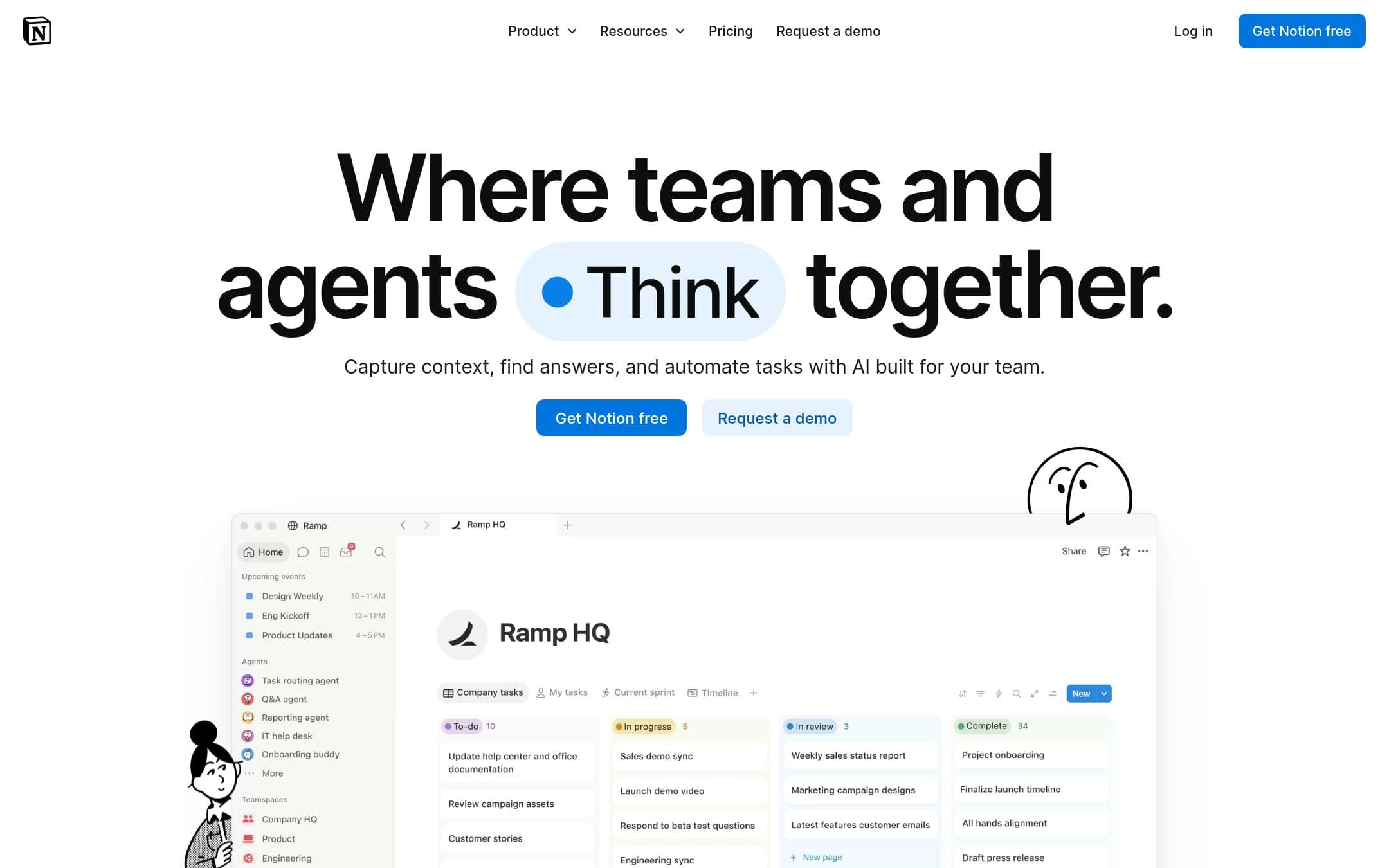
Notion homepage with the headline "Where teams and agents Create together" above a mock-up of a workspace with a task board
The Notion homepage as it looked on 1 September 2026.

How the 7.3 is built

Score breakdown for notion, criteria set Software and apps
CriterionWeightScore
Capability

A workspace with database views rather than a project manager, and it shows at the edges: no resource management, no workload, no critical path. What it does have is docs and projects in one place, which for a team whose projects are mostly writing is the right shape.

30%7.0
Usability

Lovely to read and slow to set up. Notion asks you to build the tool before you use it, and a team that skips that step ends up with pages nobody can find.

20%7.5
Value

Twelve hundred dollars for ten people for a year, with unlimited guests who do not consume a seat, and SAML at twenty dollars a seat when four rivals put it behind an unpublished Enterprise price.

20%8.0
Integrations

A documented API, a large but shallow integration directory, and connections gated by plan: basic on Plus, premium on Business, advanced on Enterprise.

10%7.5
Support

A genuinely good help centre with plain-language articles on the awkward parts, including what breaks on a downgrade, which most vendors here do not publish at all.

10%7.0
Trust

SOC 2 Type 2, four ISO certifications and BSI C5, against service level terms that exclude weekends and holidays from the availability measurement and forfeit the credit if you do not claim within 72 hours. Privately held, last valued at eleven billion dollars in a January 2026 tender.

10%6.5
Weighted total100%7.3

Pros and cons

What works

  • SAML SSO at $20 a member a month, the cheapest here included in a plan price
  • Unlimited guests on paid plans, and guests never count as paid seats
  • The HTML export carries comments as well as attachments, which most rivals do not
  • Documents and projects in one place, without a second subscription

What does not

  • The service level terms exclude weekends and holidays from the 99.9 percent measurement
  • The free plan ceiling counts every block created since signup, and deleting does not reduce it
  • Only the yearly rate is printed, and the page renders euros outside the United States
  • No resource management, no workload view and no critical path

What Notion costs

From $10 per month · free tier available

Notion pricing tiers
PlanMonthlyAnnual, per monthWhat you get
PlusPer member$12$10Unlimited file uploads, unlimited collaborative blocks, unlimited charts · Unlimited guests, who do not count as paid seats · 30 days of version history
BusinessPer member$24$20SAML SSO, the cheapest here that is included in a plan price rather than bolted on · Private teamspaces, granular database permissions, domain verification · 90 days of version history
FreeUnlimited members, with a block ceiling$01,000 blocks for a workspace with two or more owners, counted cumulatively since signup · 10 guests, 5 MB per file upload, 7 days of version history · Deleting blocks does not reduce the count

Notion publishes a one-sided toggle in its visible copy. On a page rendered from the United States the yearly radio is pre-checked and the only plan prices printed are $0, $10 and $20 a member a month. The monthly rates and the yearly totals are in the page structured data rather than in the copy, exactly as at monday.com: Plus is $12 a month or $120 a year, Business $24 or $240. Read from Europe the same page prints euros. Two limits matter more than the rate. The free plan ceiling is 1,000 blocks for a workspace with two or more owners, and Notion is explicit that it counts "the amount of content created in your workspace since signing up", and that "deleting blocks, or emptying the trash, will not reduce your block count", with a three day grace period when you hit it. And the service level terms, which the security page summarises as a 99.9 percent guarantee, actually read "The Services shall be available 99.9%, measured monthly, excluding holidays and weekends and scheduled maintenance", with a 5 percent credit per 30 minutes of downtime that you forfeit unless you claim in writing within 72 hours.

Key specs

Notion key specifications
PlatformsWeb, macOS, Windows, iOS, Android
API access
Team features
Data export
GDPR
SOC 2
Mobile app
Support channelsHelp centre, Email, Community
Uptime SLA99.9% measured monthly, excluding holidays and weekends and scheduled maintenance. Credits of 5% per 30 minutes of downtime, claimable in writing within 72 hours or forfeited
What happens when you stop payingPaid features run to the end of the billing cycle. On downgrade nothing is deleted but the workspace is constrained: blocks capped at 1,000 for two or more people, automations become view-only, all but the first chart become inaccessible, version history shortens and uploads drop to 5 MB. No deletion timetable is published
Cheapest working planPlus at $10 a member a month billed annually
Minimum seats and incrementsNone published
Free guests10 on the free plan, unlimited on Plus and above, and guests do not count as paid seats
Automation allowanceDatabase automations on paid plans, with no published monthly cap. Slack actions require Plus or above. Free is limited to Slack notifications
Timeline or Gantt fromAvailable as a database view. The help article carries no plan restriction, and Timeline is not on the downgrade list of features you lose
Storage5 MB per file on Free, unlimited file uploads from Plus
Export formatsPDF, HTML, and Markdown with CSV
What the export containsHTML export includes page and block comments, resolved and unresolved, plus images and assets in the zip. Including subpages in a PDF export requires Business or Enterprise
SAML SSO fromBusiness at $20 a member a month, the cheapest here included in a plan price. Trello plus Atlassian Guard is $14 but needs a second subscription. SCIM is Enterprise

Who it is for

Best for

  • A team whose projects are mostly documents, notes and specs
  • Anyone who needs SAML without an Enterprise conversation

Not for

  • Scheduling work across people, where the resourcing views do not exist
  • A team that cannot spend the first week building the workspace

In more detail

A workspace with database views, not a project manager

Notion will run your projects, and it will do it by giving you a database and asking you to shape it. That is either the appeal or the objection, and which one depends entirely on whether your projects are mostly documents.

For a team writing specs, briefs and notes and tracking the work attached to them, having one place rather than two is worth real money. For a team scheduling people across a quarter, the views do not exist: no resource management, no workload, no critical path.

It scores 7.3 under how we rate in our comparison and sits in the also-considered list for that reason rather than for anything it does badly.

What twelve months costs, and what the page will not print

Plus is $10 a member a month, which is $1,200 for ten people over a year.

Two caveats on that figure. The pricing page has a monthly and yearly toggle and, on a page served to the United States, only the yearly side is printed in the copy: $0, $10 and $20 are the only plan prices a reader sees. The monthly rates and the annual totals are in the page's own structured data, where Plus is $12 a month or $120 a year and Business $24 or $240, which is the same place monday.com hides its monthly rates. And read from Europe the same page prints euros, so a comparison shopper outside the United States cannot line Notion up against anything else here without converting.

The free plan ceiling, and why deleting does not help

The free plan is unlimited for one person. For a workspace with two or more owners it is 1,000 blocks, and the counting rule is the part people miss:

"We count blocks based on the amount of content created in your workspace since signing up"

and, in the same article:

"deleting blocks, or emptying the trash, will not reduce your block count."

You keep reading and editing what exists, you cannot add anything new, and Notion gives a three day grace period at the ceiling. It is a fair design and it is not a plan a team can sit on the way Trello free is.

The uptime promise that stops on Friday

Notion's security page says it "offers a guaranteed uptime of 99.9%". The service level terms it links to say something narrower:

"The Services shall be available 99.9%, measured monthly, excluding holidays and weekends and scheduled maintenance."

A Saturday outage is contractually not downtime. The remedy, where downtime does count, is a 5 percent credit per 30 or more consecutive minutes, and you forfeit it unless you notify Notion in writing within 72 hours.

Set beside the field, that is better than ClickUp, which publishes no figure at all, and than Wrike, whose 99.9 percent is a site footer rather than a term, and weaker than monday.com, whose Enterprise agreement runs seven days a week with a real credit schedule. The terms also never say which Notion plans they apply to.

The two things it does better than anyone here

SAML at twenty dollars. Notion Business is the cheapest SAML SSO here that comes inside a plan price. Asana, monday.com, ClickUp and Wrike all put it behind a plan whose price they do not publish, and Basecamp does not offer it at all. Trello is cheaper in total at $14, Premium plus Atlassian Guard, and only by buying a second subscription. If your security review asks for SAML and you want one line on the invoice, this is the answer.

The export. HTML export carries page and block comments, resolved and unresolved, along with the images and assets, in a zip. Trello's CSV drops comments entirely and ClickUp exports attachments as links. On a page about what it costs to leave, Notion's is the best exit of the seven after Basecamp.

Guests are unlimited on paid plans and never count as paid seats, which matches Asana and beats everyone else.

Who should buy it

Buy Plus if your projects are made of documents and you are currently paying for two tools. One subscription instead of two is the whole case and it is a good one.

Buy Business if you need SAML in one subscription, because $20 a member is the cheapest route to that here.

Do not buy it if you need to schedule people rather than tasks. Do not treat the free plan as a team plan, because the block ceiling counts everything you have ever made. And if a weekend outage would be a contractual problem for you, read the service level terms before you sign rather than after.

Prices, the block limit, the downgrade behaviour, the export contents and the service level terms on this page were read from the vendor pricing page, security page, help centre and service level document on . We did not test the products in this comparison.

Alternatives to Notion

Where Notion appears

Notion questions

How much is Notion for a team of ten?
Plus is $10 a member a month on annual billing, so ten people for twelve months is $1,200. The monthly-billing rate is not printed on the page as served, and outside the United States the page renders euros. Verified on 1 September 2026.
Does the Notion free plan really stop working?
It stops accepting new content. A workspace with two or more owners is capped at 1,000 blocks, counted cumulatively since signup, and Notion states that deleting blocks or emptying the trash will not reduce the count. You keep reading and editing what exists, with a three day grace period at the ceiling.
Do guests cost money on Notion?
No. Guests are free and do not count toward paid seats. The free plan allows ten, and Plus, Business and Enterprise are unlimited.
What does Notion guarantee on uptime?
The security page says 99.9 percent. The service level terms it links to say the services shall be available 99.9 percent measured monthly, excluding holidays and weekends and scheduled maintenance, with a 5 percent credit per 30 minutes of downtime that is forfeited unless claimed in writing within 72 hours.

Ready to try Notion?

The cheapest SAML in a plan price here, on an SLA that excludes weekends.

Sources